Datarails.com
Automate FP&A in Excel using AI-driven consolidation and forecasting.
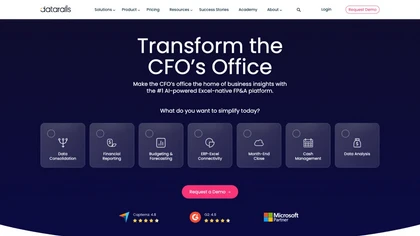
What is Datarails.com?
Datarails is an FP&A platform that lets finance teams work directly in Excel while automating data consolidation, reporting, budgeting, and forecasting. The tool pulls data from more than 200 accounting, ERP, CRM, bank, and HRIS sources, creating a single governed layer that eliminates manual imports.
It provides real‑time dashboards and data visualizations that highlight trends, variances, and anomalies across entities. Built‑in AI assists with scenario analysis, variance explanations, and predictive insights, reducing repetitive calculations and speeding decision‑making.
Collaborative workflows and version control keep teams aligned throughout the month‑end close and planning cycles. Datarails also supports cash‑position visibility, real‑time transaction categorization, and multi‑entity reconciliation within the same Excel environment.
Datarails.com on the web: Datarails.com on X (Twitter)Datarails.com on FacebookDatarails.com on LinkedInDatarails.com on YouTubeDatarails.com on Instagram
Datarails.com details
- Built for
- Businesses and teams
Datarails.com tech specs
- Works with
- Anthropic / Claude
- Integrations
- Salesforce
Datarails.com pricingFreemium
Datarails.com user reviews
Based on 1 review, 0% of users recommend Datarails.com.
Disliked for
Datarails.com playbooks
Datarails.com's key features
- ✓Automated data consolidation
- ✓Excel-native FP&A platform
- ✓Real-time cash visibility
- ✓AI-powered financial insights
- ✓Collaborative workflow integration
- ✓Data visualization dashboards
- ✓Multi-entity close automation
Datarails.com use cases
- ⚡Automate month-end close with Datarails, consolidating data from 200+ accounting, ERP, CRM, bank, and HRIS sources into Excel, providing real‑time dashboards, AI‑driven variance insights, scenario modeling, and collaborative version control to streamline planning
- ⚡Build real‑time budgeting dashboards in Excel using Datarails, pulling live data from ERP, bank, and HRIS systems, applying AI to forecast variances, enabling cross‑department collaboration on scenario analysis, and ensuring accurate cash position visibility
- ⚡Integrate multi‑entity reconciliation in Datarails, automatically consolidating intercompany transactions across 200+ sources into Excel, using AI for discrepancy detection, and offering version‑controlled workflows for finance managers to approve, archive, and audit reconciliations
Who is Datarails.com for?
- Financial analysts
- Spreadsheet analysts
- Business managers
- Data visualizers
- Scenario modelers
Datarails.com FAQ
Is Datarails.com free?
Partly. Datarails.com has a free plan with usage limits, and paid plans unlock the full feature set.
What are the best alternatives to Datarails.com?
The closest alternatives to Datarails.com are Syft assist ai, Equals, Osfin.ai, Genius Sheets and Sparkco AI Sheets. You can compare them side by side in the alternatives section further down this page.
What does Datarails.com do with my data?
Its privacy policy states that personal data is not sold or shared for marketing purposes. Data may be shared with third-party service providers that help run the product.
Which AI models does Datarails.com use?
Datarails.com is built on Anthropic / Claude. Which models you can reach may depend on your plan.
What does Datarails.com integrate with?
Datarails.com connects with Salesforce.