DrawThings AI
Generate and edit images and animations using on-device AI models.
What is DrawThings AI?
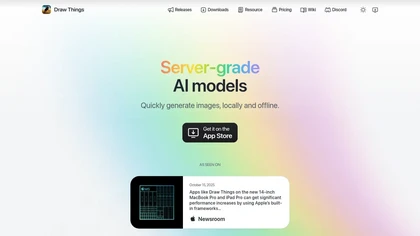
Draw Things, AI-assisted image generation app for iOS, iPadOS, and macOS that converts text prompts into images and supports on-device model downloads for offline generation. It includes image-to-video conversion for short animated clips and an infinite canvas for expanding compositions.
Style transfer and reimagining tools transform photos into animation and other visual styles for concept art and product mockups. Local LoRA training lets users train and apply LoRA models on-device to retain creative control and privacy. Import/export of models, apparel prototyping, and streamlined export workflows suit illustrators, designers, game artists, and content creators.
DrawThings AI on the web: DrawThings AI on X (Twitter)DrawThings AI on DiscordDrawThings AI on the App Store
DrawThings AI details
- Built for
- Individuals
DrawThings AI pricingFreemium
DrawThings AI user reviews
Please sign in to leave feedback
DrawThings AI playbooks
DrawThings AI's key features
- ✓Prompt-based text-to-image generation
- ✓Local/offline execution of server-grade AI models (on-device compute)
- ✓Image-to-video conversion from still images
- ✓Infinite canvas for unbounded editing
- ✓LoRA training and management (train locally; upload/use custom LoRAs with cloud or local compute)
DrawThings AI use cases
- ⚡Create concept art, moodboards and storyboards in Draw Things using on-device image generation and the infinite canvas editor, refine looks with style transfer and export high-res assets or models for collaborative feedback without uploading sensitive work
- ⚡Design apparel mockups and print-ready prototypes by generating fabric textures with style transfer, arranging multiple garment views on the infinite canvas, and converting images to short product videos for e-commerce or pitch decks—all offline on your device
- ⚡Train a custom brand or artist model using on-device LoRA training from your own portfolio to produce consistent imagery, generate image-to-video promos and export/import the trained model to share with teammates or back it up
Who is DrawThings AI for?
- Creative artists
- Creative designers
- Content creators
- Tech enthusiasts
- Mobile enthusiasts
DrawThings AI FAQ
Is DrawThings AI free?
Partly. DrawThings AI has a free plan with usage limits, and paid plans unlock the full feature set.
What are the best alternatives to DrawThings AI?
The closest alternatives to DrawThings AI are Canva AI, DrawingPics, ImagesArt AI, AIImageGenerator and Leonardo.ai. You can compare them side by side in the alternatives section further down this page.
What does DrawThings AI do with my data?
DrawThings AI states that customer content is not used to train its models. Its privacy policy states that personal data is not sold or shared for marketing purposes. Data may be shared with third-party service providers that help run the product.
Is there a mobile app for DrawThings AI?
Yes. DrawThings AI has a mobile app alongside its web version.
Similar to DrawThings AI
 Canva AIGenerate images from text prompts or reference images instantly.
 Media.io MCPAI-powered image and video generation and editing via agents.
 Nano Banana 2AI-powered image generation and editing with doodle, style transfer, composition.
 Adobe FireflyBased on 1 review, 100% of users recommend Adobe Firefly, rated highly for quality results.