numerous
Generate AI-powered content and data insights directly within spreadsheets.
What is numerous?
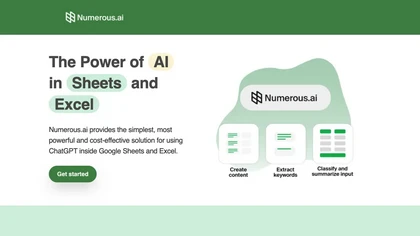
Numerous.ai is an add‑on for Google Sheets and Excel that integrates ChatGPT directly into spreadsheet cells using a simple =AI function. It requires no API keys, making setup quick for individual users and teams. The tool supports bulk AI tasks such as generating AdWords keywords, Facebook ad structures, SEO content, and ad copy, which is useful for digital marketers and agency workflows.
Content creators can produce topic ideas, social media schedules, and post variants from a single prompt. Researchers and students can summarize, categorize, and cleanse large text datasets within spreadsheets. Product engineers and managers use the platform to prototype prompt structures, cache results over time, and collaborate on AI-driven prototypes.
numerous details
- Built for
- Individuals
- Data residency
- United States
numerous tech specs
- Works with
- OpenAI / GPT
numerous pricingSubscription
numerous user reviews
Based on 2 reviews, 100% of users recommend numerous, rated highly for quality results.
Liked for
numerous playbooks
numerous's key features
- ✓No API keys required
- ✓AI function in spreadsheet cells
- ✓Team collaboration across organization
- ✓Long‑term result caching
- ✓Dual support for Google Sheets and Excel
- ✓Text summarization and classification
numerous use cases
- ⚡Generate bulk ad copy for marketing campaigns directly in Excel using the =AI function, automatically filling rows with unique headlines and descriptions without manual copy‑paste.
- ⚡Summarize large customer feedback datasets in Google Sheets, turning raw comments into concise sentiment overviews via AI, instantly visualized in the spreadsheet.
- ⚡Plan social media content calendars in a single sheet, auto‑generating post texts, hashtags, and optimal publish times for each platform with =AI, streamlining scheduling.
Who is numerous for?
- Data analysts
- Business managers
- Spreadsheet analysts
- Excel analysts
- Google sheets analysts
numerous FAQ
How much does numerous cost?
numerous is a paid product with no free plan. Plans include Personal at $8*/mo billed yearly, Enterprise at $8*/mo/user billed yearly and Pro at $24*/mo billed yearly.
What are the best alternatives to numerous?
The closest alternatives to numerous are ChatGPT+ Google Sheet, SheetAI, GPT for Work, GPTExcel and GPT For Sheets. You can compare them side by side in the alternatives section further down this page.
What does numerous do with my data?
Its privacy policy states that personal data is not sold or shared for marketing purposes. Data may be shared with third-party service providers that help run the product. Customer data is held in United States.
Does numerous have an API?
Yes. numerous offers an API, so you can call it from your own applications instead of using the interface directly.
Which AI models does numerous use?
numerous is built on OpenAI / GPT. Which models you can reach may depend on your plan.