PixEditor AI
AI-powered web photo editor for background removal and retouching.
What is PixEditor AI?
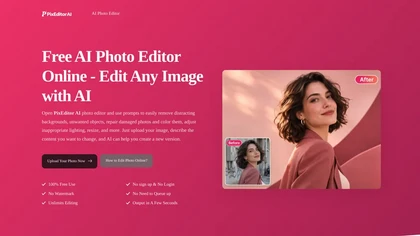
PixEditor AI - Free AI Photo Editor Online is a web-based AI photo editor that automates common image editing tasks.
It provides automatic background removal, object selection and generative fill to modify image content.
Built-in retouching and color correction tools adjust exposure, tone and skin details with AI-assisted controls.
Batch processing and template workflows enable consistent edits across multiple images.
Layer and mask support combined with manual adjustment tools allow precise, localized edits.
Export options and preset workflows simplify file output and recurring tasks.
Browser-based access removes the need for local installation and enables editing directly from the web.
PixEditor AI pricingFree
PixEditor AI user reviews
Based on 1 review, 100% of users recommend PixEditor AI, rated highly for quality results.
Liked for
PixEditor AI playbooks
PixEditor AI's key features
- ✓Automatic background removal
- ✓Object selection and generative fill
- ✓AI-assisted retouching and color correction (exposure, tone, skin)
- ✓Batch processing and template workflows
- ✓Layer and mask support with manual adjustment tools
PixEditor AI use cases
- ⚡Create consistent, high-converting e-commerce product images using PixEditor AI's automatic background removal, precise object selection, batch processing and export presets to update hundreds of SKUs quickly
- ⚡Retouch portrait and headshot photography with PixEditor AI's AI-assisted retouching and color correction, use layer and mask controls for fine adjustments and generative fill to remove distractions while retaining natural skin tones
- ⚡Assemble marketing composites and banners by isolating subjects with object selection, extending or filling scenes with generative fill, and refining the result with layers/masks in PixEditor AI, then export optimized presets for web and print
Who is PixEditor AI for?
- Professional photographers
- Amateur and hobbyist photographers
- E-commerce sellers and product managers
- Social media managers
- Influencers and content creators
- Graphic designers
- Marketing teams and agencies
- Small business owners
- Real estate agents and property marketers
- Freelance retouchers and photo editors
- Print shops and studios
- Bloggers and online publishers
PixEditor AI FAQ
Is PixEditor AI free?
Yes. PixEditor AI is free to use and does not require a credit card.
What are the best alternatives to PixEditor AI?
The closest alternatives to PixEditor AI are Background Remover, Image Editor Online, Retoucher, Removal.ai and PhotoGrid. You can compare them side by side in the alternatives section further down this page.