Streamlabs
Multistreaming and recording with AI-assisted editing, alerts and moderation.
What is Streamlabs?
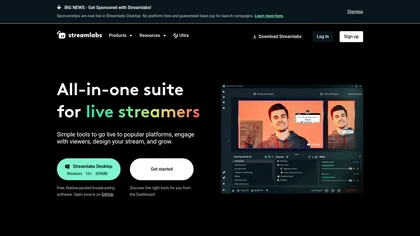
Streamlabs is a live streaming and recording platform for Windows, Mac, iOS and Android.
It supports multistreaming to Twitch, YouTube, Facebook and other platforms to expand audience reach.
Built-in customizable overlays, alerts, widgets and themes enable consistent stream branding and on-screen information.
Includes Streamlabs Desktop, Talk Studio browser-based guest recording, mobile apps and console streaming options.
Offers OBS integration, tipping alerts, Cloudbot moderation, analytics and an app store for extensions.
Integrated tools for editing and repurposing content include Video Editor, Podcast Editor and Cross Clip for short-form clips.
Streamlabs on the web: Streamlabs on X (Twitter)Streamlabs on FacebookStreamlabs on LinkedInStreamlabs on DiscordStreamlabs on YouTubeStreamlabs on Instagram
Streamlabs pricingSubscription
Streamlabs user reviews
Please sign in to leave feedback
Streamlabs playbooks
Streamlabs's key features
- ✓Desktop broadcasting software for Windows and Mac with live streaming and recording capabilities (Streamlabs Desktop)
- ✓Multistream: simultaneous streaming to multiple platforms with vertical and horizontal output optimization
- ✓OBS plugin to add alerts, overlays, widgets and chat integration within OBS Studio
- ✓Guest and multi-camera support (Collab Cam and mobile device camera input) plus browser-based Talk Studio for streaming/recording with guests
- ✓Built-in themes, pro overlays and customizable alerts/widgets, and a Desktop App Store for extensible apps (automation, analytics, widgets)
Streamlabs use cases
- ⚡Multistream to Twitch, YouTube and Facebook simultaneously using Streamlabs' multistreaming and customizable overlays/alerts to keep branded visuals and on-screen notifications consistent across platforms without extra tools
- ⚡Host professional guest co-streams with remote contributors via Streamlabs' guest co-streaming and OBS integration, while using built-in chat moderation and real-time analytics to manage audience engagement and safety
- ⚡Record live shows and repurpose content using Streamlabs' short-form clip editor and podcast tools to create social-ready clips, edit episodes, and track performance with integrated analytics
Who is Streamlabs for?
- Live streamers
- Content creators
- Podcasters
- Video editors
- Stream moderators
Streamlabs FAQ
Is Streamlabs free?
No. Streamlabs is a paid product and requires a paid plan to use.
What are the best alternatives to Streamlabs?
The closest alternatives to Streamlabs are Stream chat a.i.. You can compare them side by side in the alternatives section further down this page.
Does Streamlabs have an API?
Yes. Streamlabs offers an API, so you can call it from your own applications instead of using the interface directly.
Similar to Streamlabs
 Hotellobby AIAI-generated 15s duet rap videos from two uploaded photos.
 Veo3Generate high-quality, realistic 4K videos using AI.
 Media.io MCPAI-powered image and video generation and editing via agents.