SVG AI
Create production-ready vectors, icons, and logos from text prompts or images instantly.
What is SVG AI?
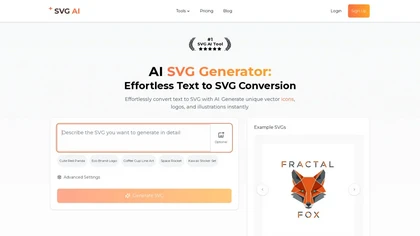
SVG AI is the most advanced AI-powered vector generation platform.Unlike standard converters that just trace pixels, SVG AI uses a dedicated vector-native model to generate clean, scalable SVG code from scratch using simple text prompts.
SVG AI details
- Jurisdiction
- Canada
- Built for
- Individuals
SVG AI tech specs
- Payment Processors
- Stripe PayPal
SVG AI pricingFreemium
SVG AI user reviews
Based on 4 reviews, 0% of users recommend SVG AI.
Disliked for
SVG AI playbooks
SVG AI's key features
- ✓Text-to-SVG Generator
- ✓Pro Vectorizer
- ✓AI Vector Editor
- ✓Compatible with Figma, Illustrator, and web
SVG AI use cases
- ⚡Text-to-SVG: Generate unique icons, logos, and illustrations from text descriptions
- ⚡Image-to-SVG: Vectorize and upscale raster images (JPG/PNG) into clean paths
- ⚡AI Editor: Refine and recolor your vectors using natural language prompts
Who is SVG AI for?
- Graphic designers
- Web developers
- Digital artists
- Content creators
- E-commerce sellers
SVG AI FAQ
Is SVG AI free?
Partly. SVG AI has a free plan with usage limits, and paid plans unlock the full feature set.
What are the best alternatives to SVG AI?
The closest alternatives to SVG AI are Vectorizer AI, VectorArt.ai, SVGconverter AI, SVGMaker and Canva AI. You can compare them side by side in the alternatives section further down this page.
What does SVG AI do with my data?
SVG AI states that customer content is not used to train its models. Its privacy policy states that personal data is not sold or shared for marketing purposes. Data may be shared with third-party service providers that help run the product.
Does SVG AI auto-renew or offer refunds?
SVG AI subscriptions renew automatically until you cancel. It states a 14-day refund window.
Similar to SVG AI
 Canva AIGenerate images from text prompts or reference images instantly.
 Grok Imagine 2.0Grok Imagine 2.0 offers a free plan with paid upgrades available.
 Prechance image generatorGenerate NSFW images from text prompts without censorship.
 Apeture (by Lexica)AI text-to-image generation for high-resolution visuals.