TranscribetoText.AI
AI transcribes audio/video to text, exporting various formats.
What is TranscribetoText.AI?
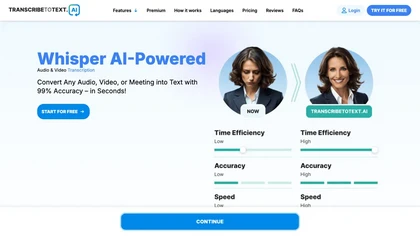
TranscribeToText.AI is an AI transcription platform that converts audio and video files into accurate text. It supports common media formats such as MP3, MP4, M4A, WAV, OGG, and others, and can process files up to 10 hours or 5 GB in size. Users can choose from over 100 languages, including dialects, ensuring precise transcription across diverse linguistic content.
The service offers multiple export options—DOCX, PDF, TXT, SRT, and VTT—facilitating seamless integration into writing, editing, and video production workflows. TranscribeToText.AI also allows direct transcription from URLs, YouTube, Google Drive, Dropbox, and real‑time meetings on Google Meet, Zoom, and Microsoft Teams, making it useful for educators, broadcasters, researchers, legal professionals, marketers, and podcasters.
TranscribetoText.AI on the web: TranscribetoText.AI on FacebookTranscribetoText.AI on YouTube
TranscribetoText.AI details
- Jurisdiction
- Estonia
- Built for
- Individuals
TranscribetoText.AI tech specs
- Works with
- OpenAI / Whisper
- Integrations
- Google Workspace Microsoft Teams
TranscribetoText.AI pricingFreemium
TranscribetoText.AI user reviews
Based on 1 review, 100% of users recommend TranscribetoText.AI, rated highly for quality results.
Liked for
TranscribetoText.AI playbooks
TranscribetoText.AI's key features
- ✓Upload audio and video files
- ✓Transcribe in 100+ languages
- ✓Instant, fast transcription
- ✓Export to DOCX, PDF, TXT
- ✓Unlimited transcriptions, 10‑hour files
- ✓Transcribe from URLs and meetings
- ✓Speaker recognition and translation
TranscribetoText.AI use cases
- ⚡Create a searchable PDF from a 9‑hour corporate workshop for easy internal reference and distribution
- ⚡Generate real‑time VTT closed‑caption files for live webinars to meet accessibility standards and improve SEO
- ⚡Transcribe a 3‑hour multilingual panel discussion and export the text as a DOCX file for publication and archival purposes
Who is TranscribetoText.AI for?
- Content creators
- Academic researchers
- Media journalists
- Academic educators
- Business executives
TranscribetoText.AI FAQ
Is TranscribetoText.AI free?
Partly. TranscribetoText.AI has a free plan with usage limits, and paid plans unlock the full feature set. Plans include Premium plan at $9.99 and Premium plan at $19.99.
What are the best alternatives to TranscribetoText.AI?
The closest alternatives to TranscribetoText.AI are Video Transcriber AI, AudioTranscriber.io, Audiotype, Whisper AI and AccurateScribe.ai. You can compare them side by side in the alternatives section further down this page.
What does TranscribetoText.AI do with my data?
Its privacy policy states that personal data is not sold or shared for marketing purposes. Data may be shared with third-party service providers that help run the product.
Does TranscribetoText.AI auto-renew or offer refunds?
TranscribetoText.AI subscriptions renew automatically until you cancel. It states a 7-day refund window.
Which AI models does TranscribetoText.AI use?
TranscribetoText.AI is built on OpenAI / Whisper. Which models you can reach may depend on your plan.
What does TranscribetoText.AI integrate with?
TranscribetoText.AI connects with Google Workspace and Microsoft Teams.
Similar to TranscribetoText.AI
 AccurateScribe.aiTranscribe audio/video to text with high accuracy.
 CliptoEfficient media transcription and management without internet.